MIRRA
Collaboration has never been so efficient.
Bringing people and ideas together.
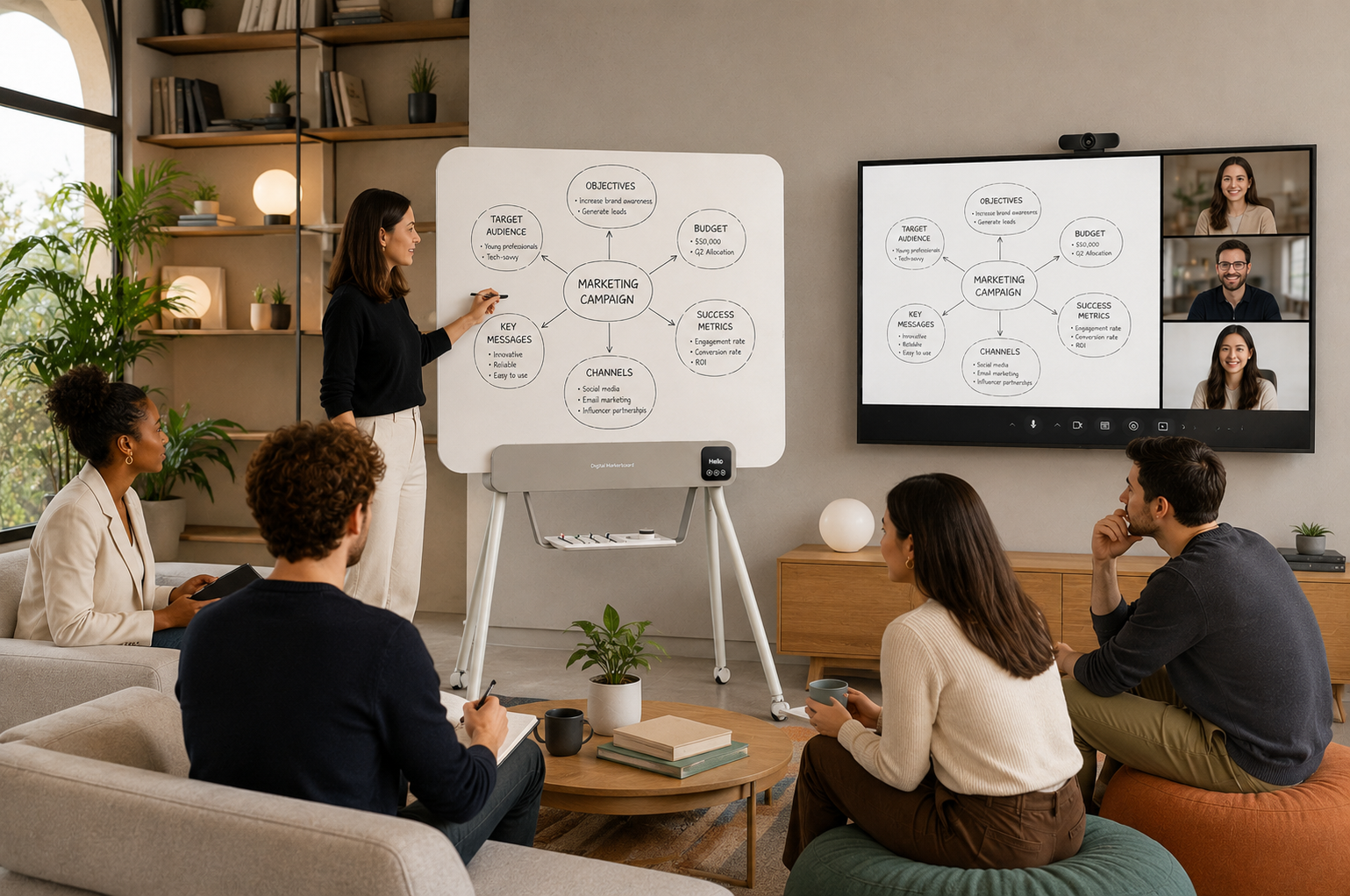
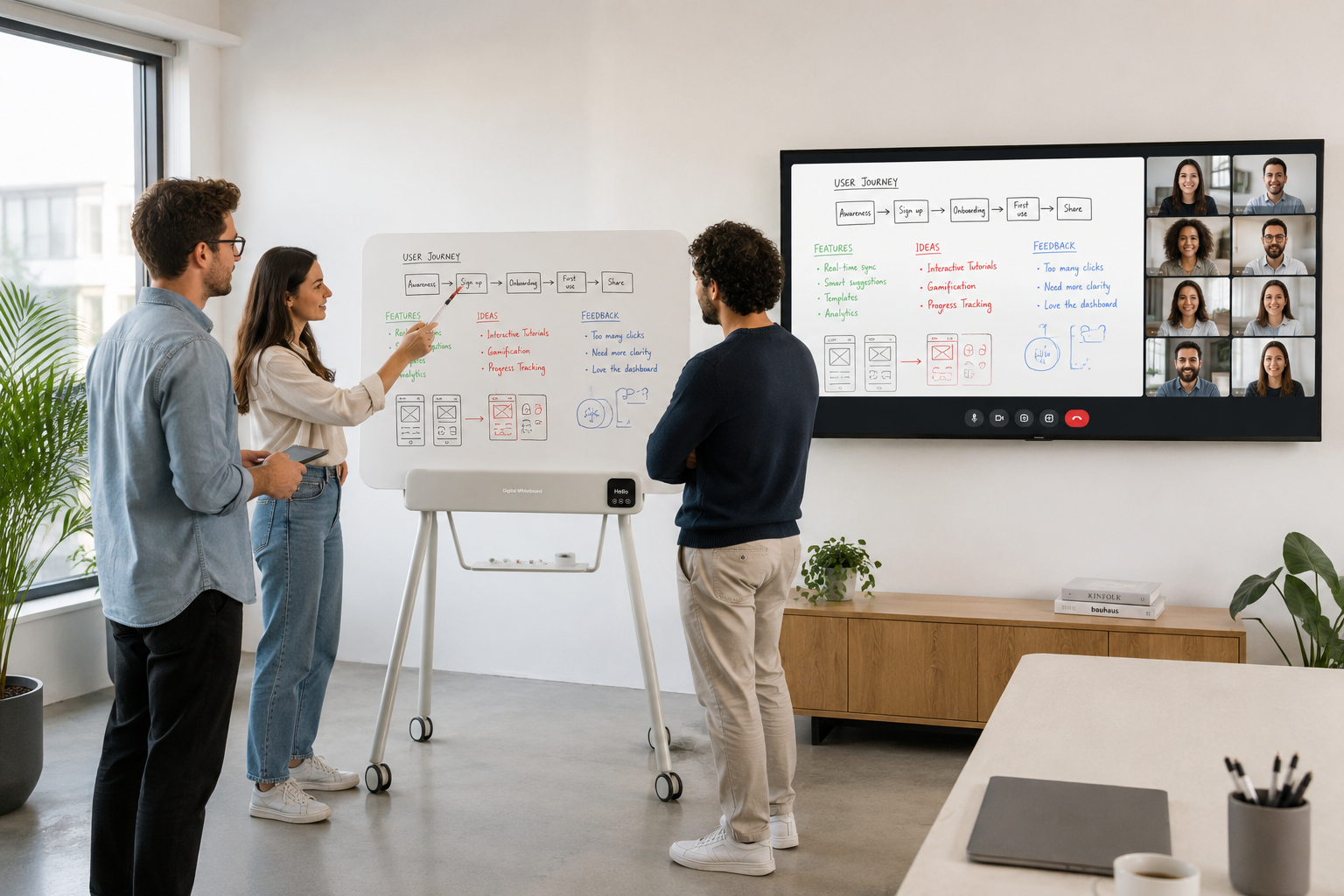
Hybrid collaboration shouldn't depend on who's in the room. Ideas deserve to move as freely as the people behind them. MIRRA ensures every conversation, sketch and breakthrough remains accessible to everyone, whether they're sitting around the whiteboard or joining from across the world. No one is left behind, and no idea is left on the wall.
What you write
is what they get.
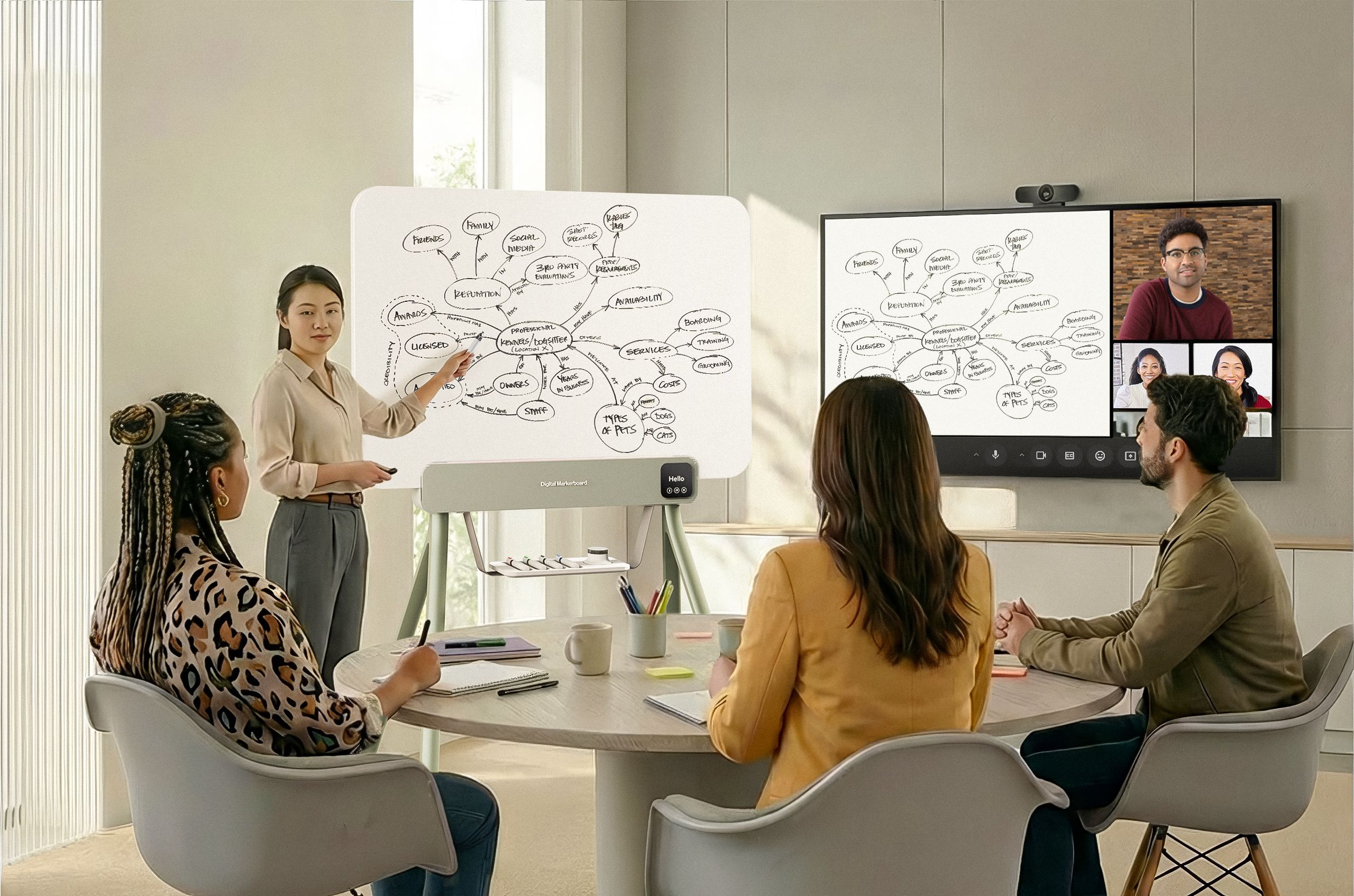
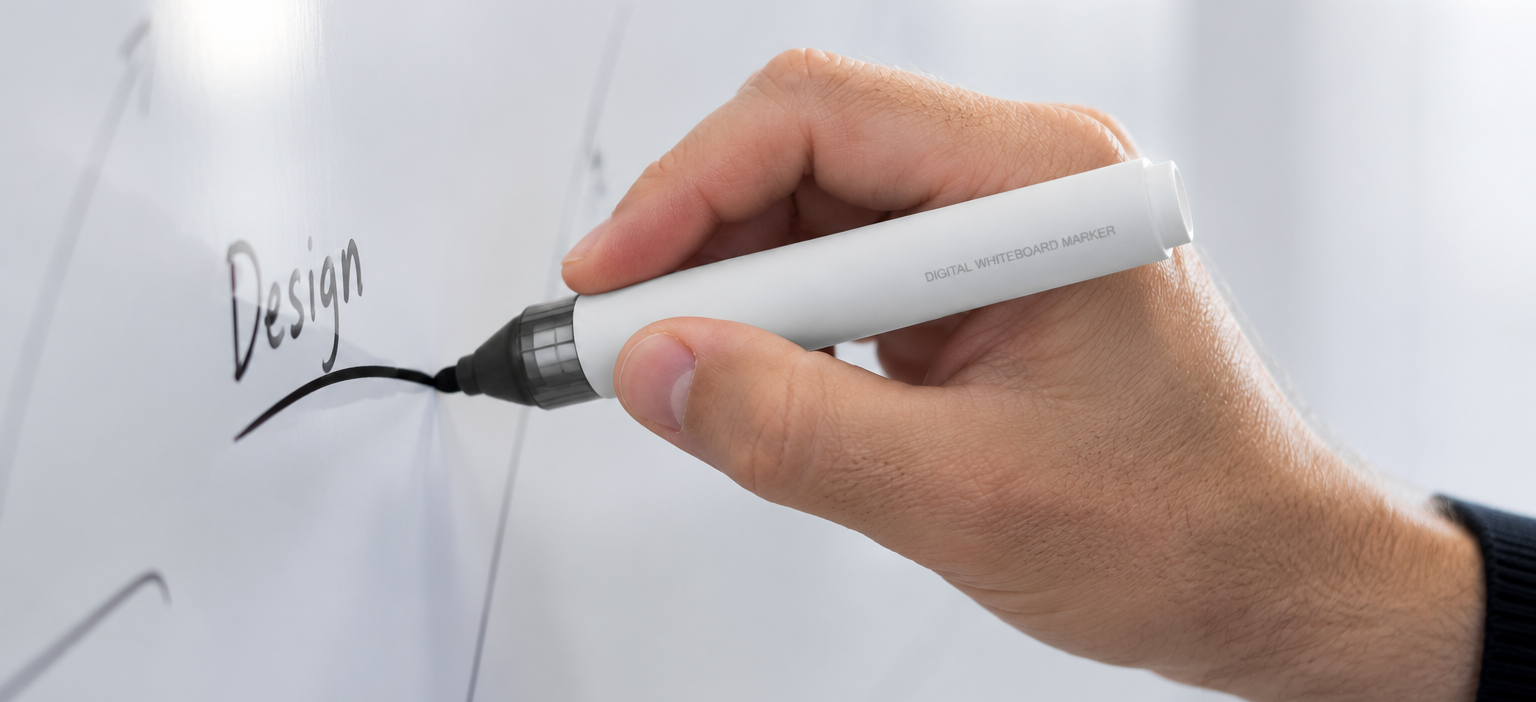
Write exactly as you always have. Using standard dry-erase markers and a familiar erasable surface, MIRRA captures every stroke in real time and instantly shares it with remote participants.
After the meeting, the complete board remains available as a faithful digital record—without changing your workflow, introducing proprietary tools or asking your team to learn new habits.
Connect. Write. Share.
1.
Connect.
Connect MIRRA via USB or Bluetooth and you're ready. No calibration, no learning curve—just your whiteboard, now digital.
2.
Write.
Write, sketch and erase exactly as you always have. Every word and drawing appears instantly, in real time, with nothing lost.
3.
Share.
Bring remote teammates into the room live or send them a faithful digital capture of the board afterward. Either way, no one misses an idea.
Your everyday companions.
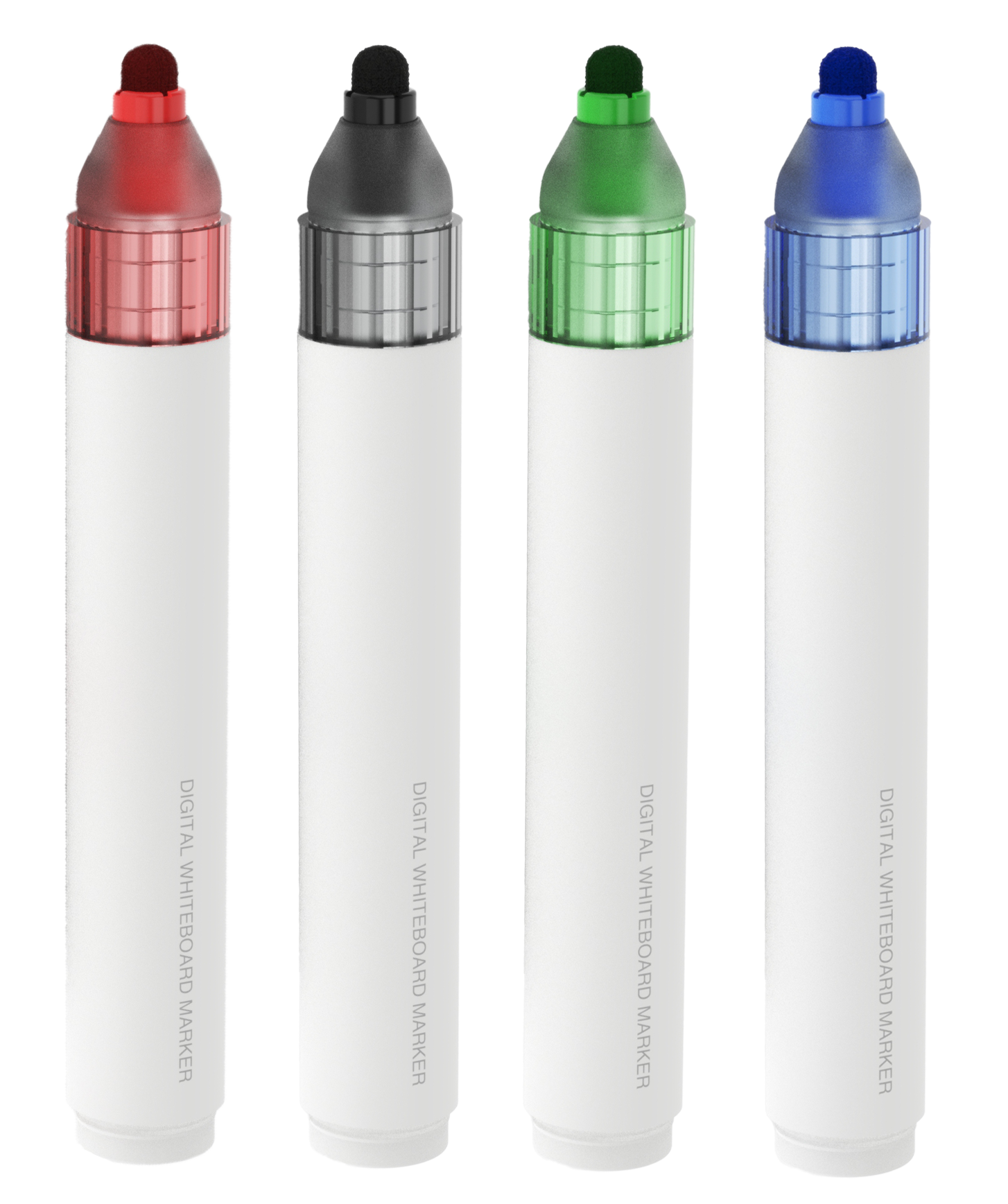
Dry-wipe markers
(4 colors)
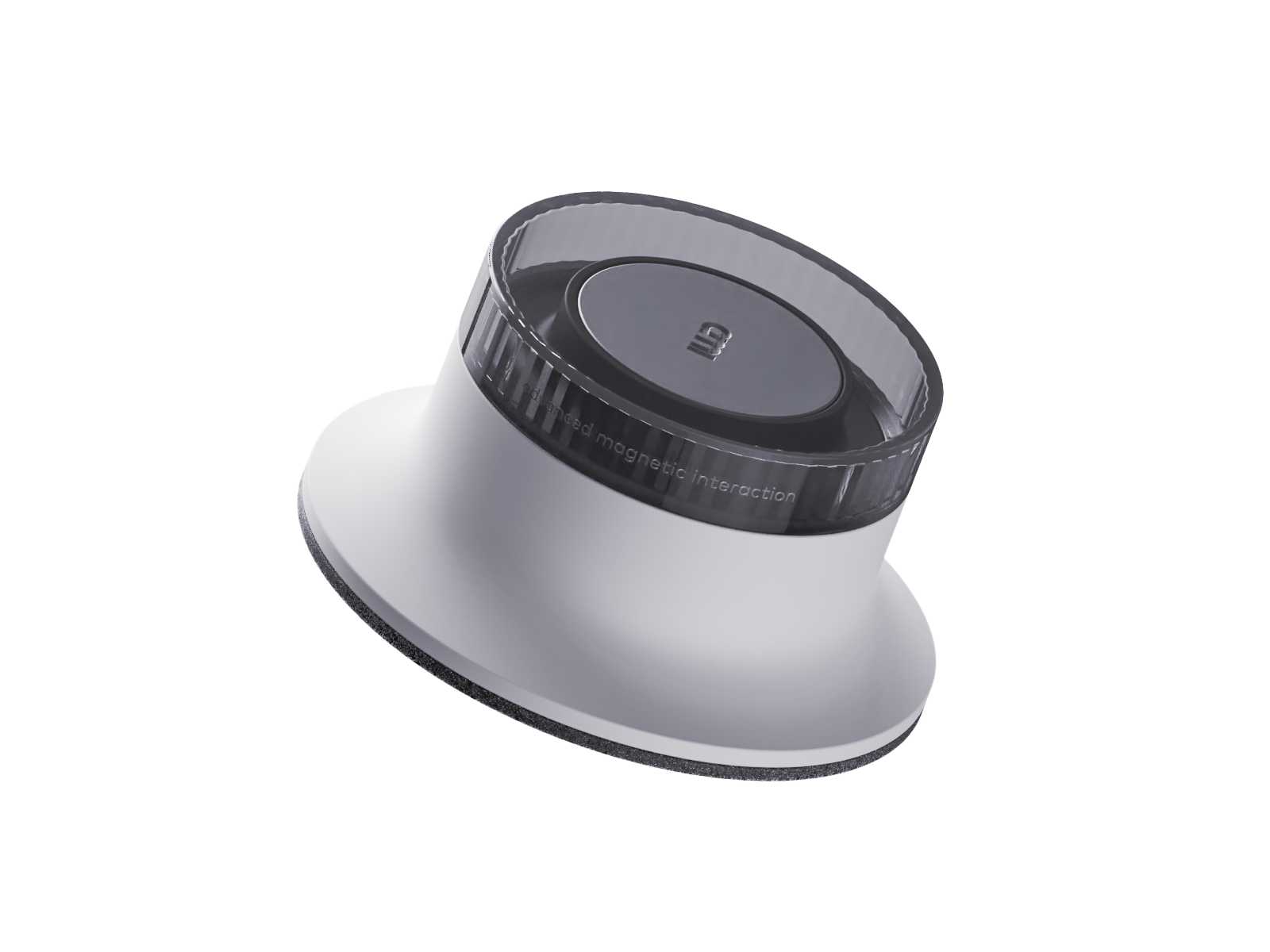
Eraser
The magic behind every marker.
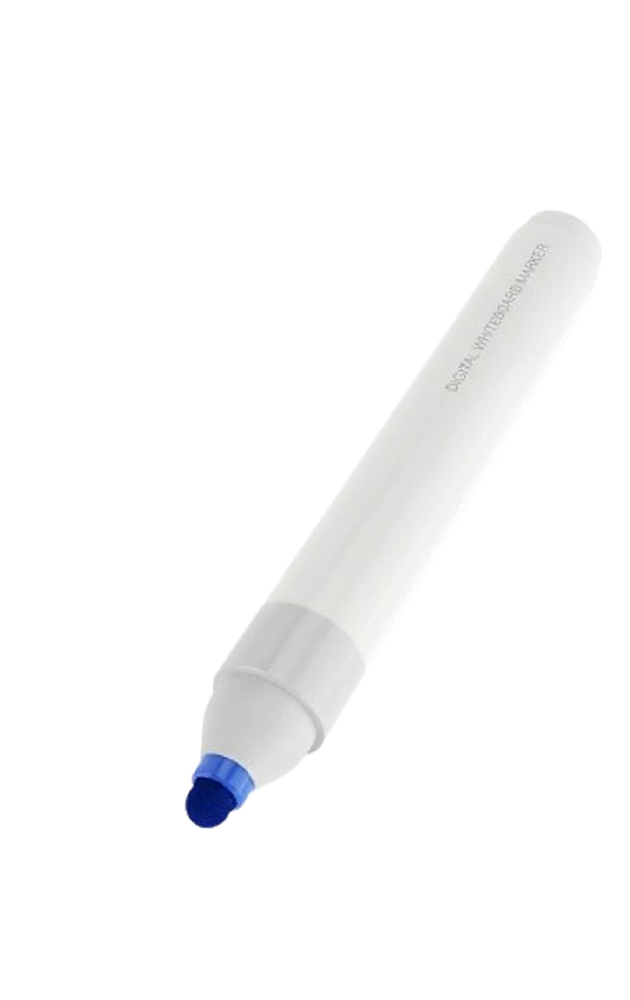
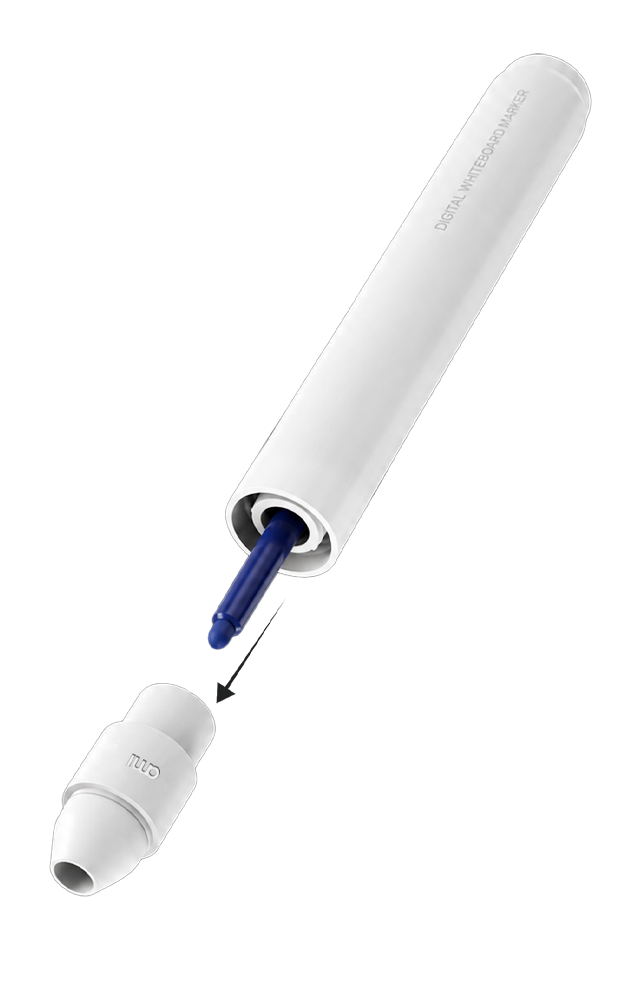
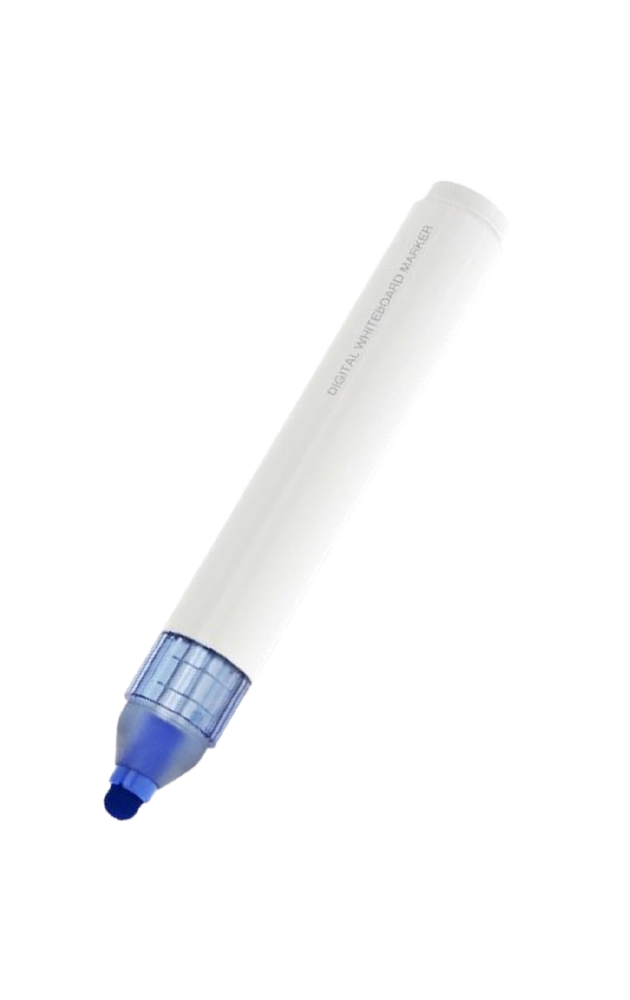
This discreet add-on enables the Digital Markerboard to automatically identify both the marker and also its ink color, ensuring every stroke is captured exactly as it appears on the board.
Grab a MIRRA marker.
Unscrew the marker nose.
Replace it with the digital marker nose.
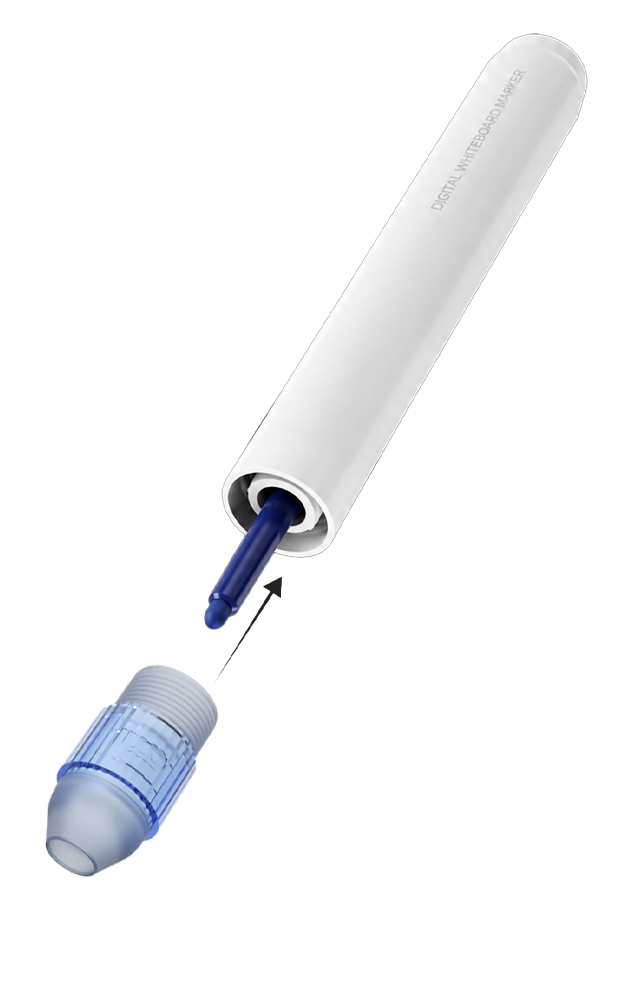
Write on any MIRRA markerboard, just as always, and watch it go digital.
Every idea starts with a simple gesture.
Natural Handwriting Experience
The real feel of writing with dry-erase markers - no stylus, no touchscreen, no adjustment period.
As natural as with any traditional whiteboarding surface.
Real-Time Digitization
Automatic tool detection (markers & eraser)
Automatic color detection (black, red, green, blue)
Precise erasing, from a full wipe to a fine correction
Seamless Setup & Use
Plug & Play simplicity
Zero learning curve
Maintenance-free
Perfect Fit for Any Workspace
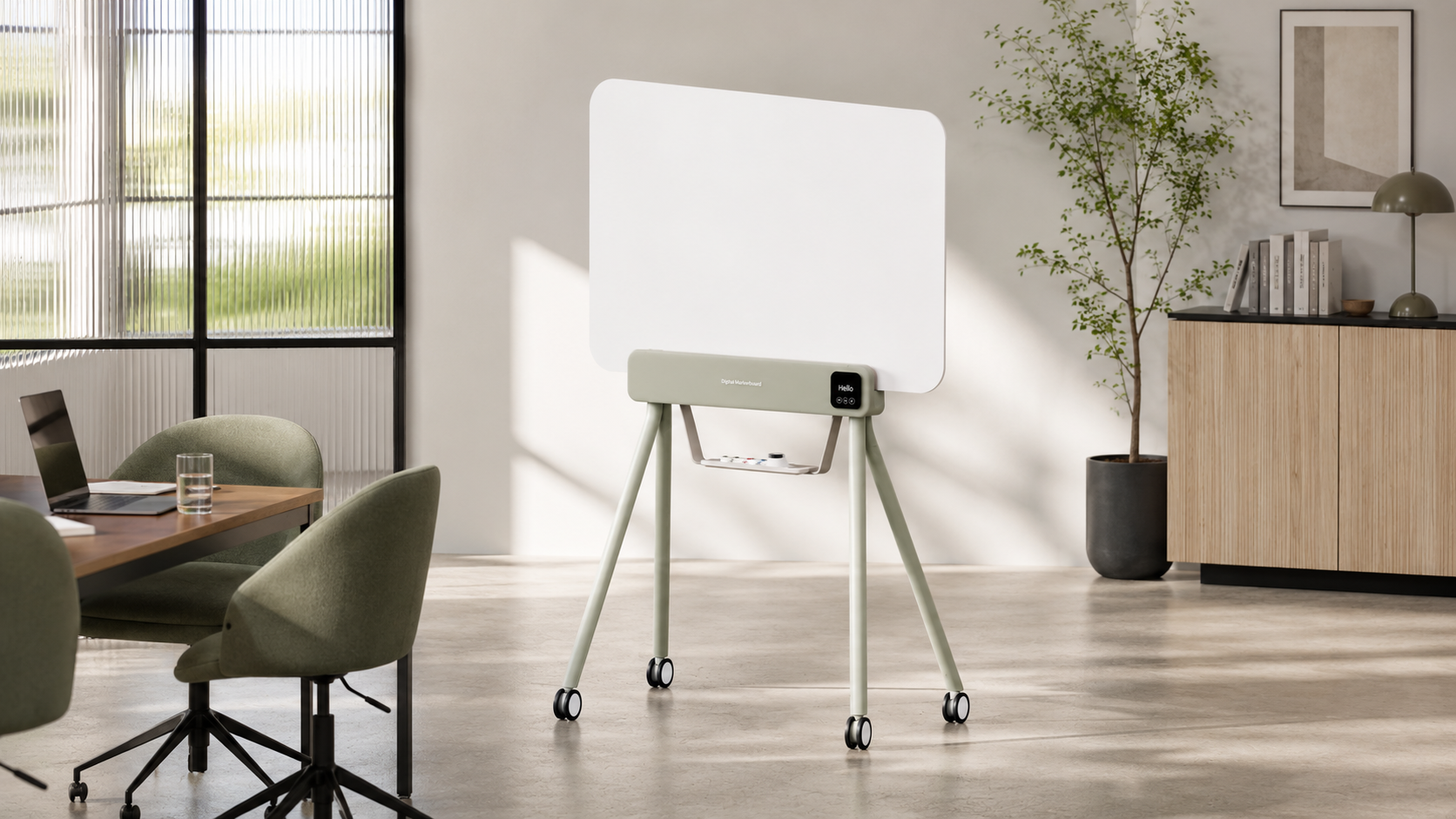
Mounts on walls, moves with your team.
The app behind every idea.
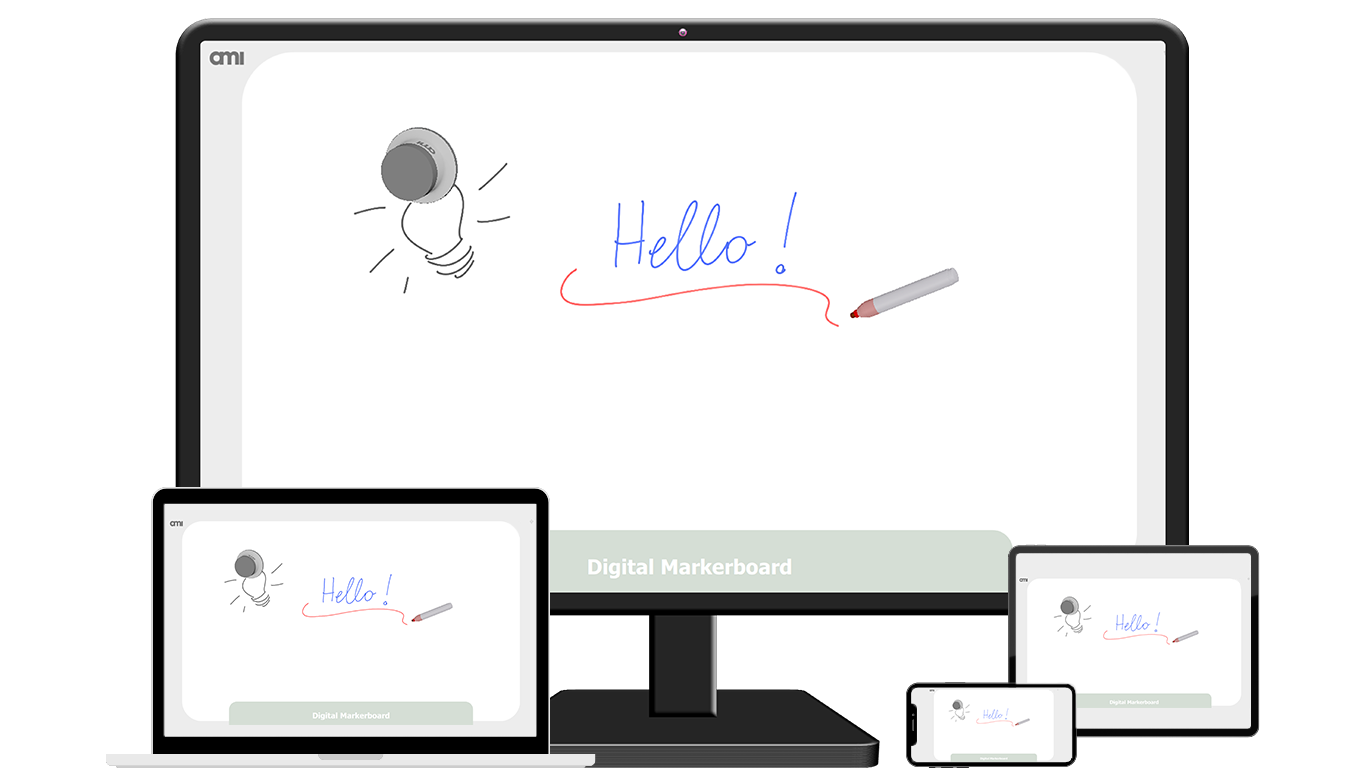
The iskn app connects everything your team writes — live, in the room, or from anywhere.
Beyond the ordinary: What makes the difference.
MIRRA | Dry-Erase Whiteboard | |
|---|---|---|
Handwriting with Dry-Erase Markers |  | |
Flat & Fine Erasing | | |
Multi-user (2 for the Digital Markerboard) | | |
Remote collaboration | |  |
Instant Digitization | | |
Automatic tool detection | | |
Automatic color detection | | |
Content Sharing | | |
Content Saving | | |
“MIRRA changed how way we work together. Whether we're in the same room or miles apart, every idea is shared, and everyone stays in the loop. Meetings feel more engaging, collaboration is smoother, and our team gets more done without changing the way they work.”
— Marc V., CXO
See MIRRA in action
Experience how natural collaboration can be.
Book a personalized demo with our team and discover how MIRRA turns a familiar dry-erase surface into a seamless digital collaboration experience — with real markers, instant sharing, and no learning curve.
Whether you're exploring MIRRA for your meeting rooms, your teams, or a larger deployment, we'll tailor the demo to your needs.
FAQs.
Does the whiteboard require calibration or setup?
No calibration is needed. The Digital Whiteboard is designed to be plug-and-play, minimizing setup time. Simply connect the board (via USB or Bluetooth, depending on the model), and it’s ready to use. The system automatically detects writing tools, recognizes their position, and even tracks colors without any manual adjustments.
How does the whiteboard digitize my handwriting? What’s the technology?
The Digital Whiteboard uses AMI's proprietary GMS™ magnetic sensing technology, developed through years of research in magnetometry. It detects markers and erasers equipped with specific magnetic components. As you write or erase on the board, each stroke and swipe is captured in real time and instantly digitized—allowing seamless sharing across connected devices, whether you're in the room or remote.
How do I clean and maintain the whiteboard?
The surface is made from standard dry-erase material, so cleaning is simple and familiar. Use regular whiteboard cleaning products or a soft cloth to remove ink. There’s no special care required—just the same maintenance you’d expect from any traditional whiteboard.
Is it easy to install the whiteboard in my workspace?
Yes. Installation is as simple as mounting a standard whiteboard. Whether you're placing it on a wall or integrating it into a mobile stand, the board is lightweight, low-profile, and doesn’t require complex wiring. With wireless (Bluetooth) or USB options, it fits seamlessly into both new and existing workspaces—ready to go with minimal disruption.
Is the whiteboard suitable for large meetings or presentations?
Yes. Thanks to the scalability of AMI's technology, the whiteboard can be produced in large dimensions to suit big meeting rooms, conference halls, or classrooms. Whether it’s a compact brainstorming space or a full-scale presentation wall, the system delivers consistent performance across sizes.
What makes this whiteboard different from traditional whiteboards or digital boards?
Unlike traditional whiteboards, this solution bridges analog comfort with digital power. You retain the natural experience of writing with dry-erase markers, but your input is instantly digitized and shareable. Compared to digital boards or interactive displays, there’s no need for touchscreens, batteries, or complex interfaces—just a smooth, familiar surface with advanced technology underneath. It’s intuitive, affordable, and scalable, built for hybrid collaboration without the friction of traditional digital solutions.
Is there any software or app required for digital sharing?
No additional software is required beyond a simple whiteboard app. The whiteboard integrates easily with your existing tools. For digital sharing, just use your usual video conferencing platforms like Zoom, Microsoft Teams, or Google Meet, and share your screen. Your whiteboard strokes will appear live to remote participants—just as if they were in the room with you.
Do I need any special markers or erasers?
Yes, but with flexibility. You can use specially designed markers and erasers with built-in magnetic components that work seamlessly with the AMI technology. The compatible eraser allows precise erasing, including tilt-based detection—something not possible with traditional digital whiteboards.