

Engage your students with your favorite pencils and papers

« It has been a huge time saver for me, and my students understand more easily »
Remi H., professor at the Ecole Nationale Supérieure d'Architecture de Grenoble
Your classroom,
wherever you are
Your handwritten notes and diagrams illustrate your explanations in real time, facilitating your students' understanding.

Remote teaching

Hybrid teaching

Classroom
« Repaper allows me to replace the whiteboard, and share my handwriting instantly to my students »
Elsa C. teacher of civilization & ancient literature
As easy as a pencil stroke
Connect Repaper to your device.
Slip on Repaper Ring onto your favorite pencil, attach any sheet of paper to Repaper.
Start writing, your notes & diagrams appear on your screen and on your student's.
Teaching becomes magical
Your classroom whiteboard at home

Repaper is compatible with your computer, smartphone or tablet video conferencing solutions via screen sharing.
You can also use whiteboard applications on your computer.
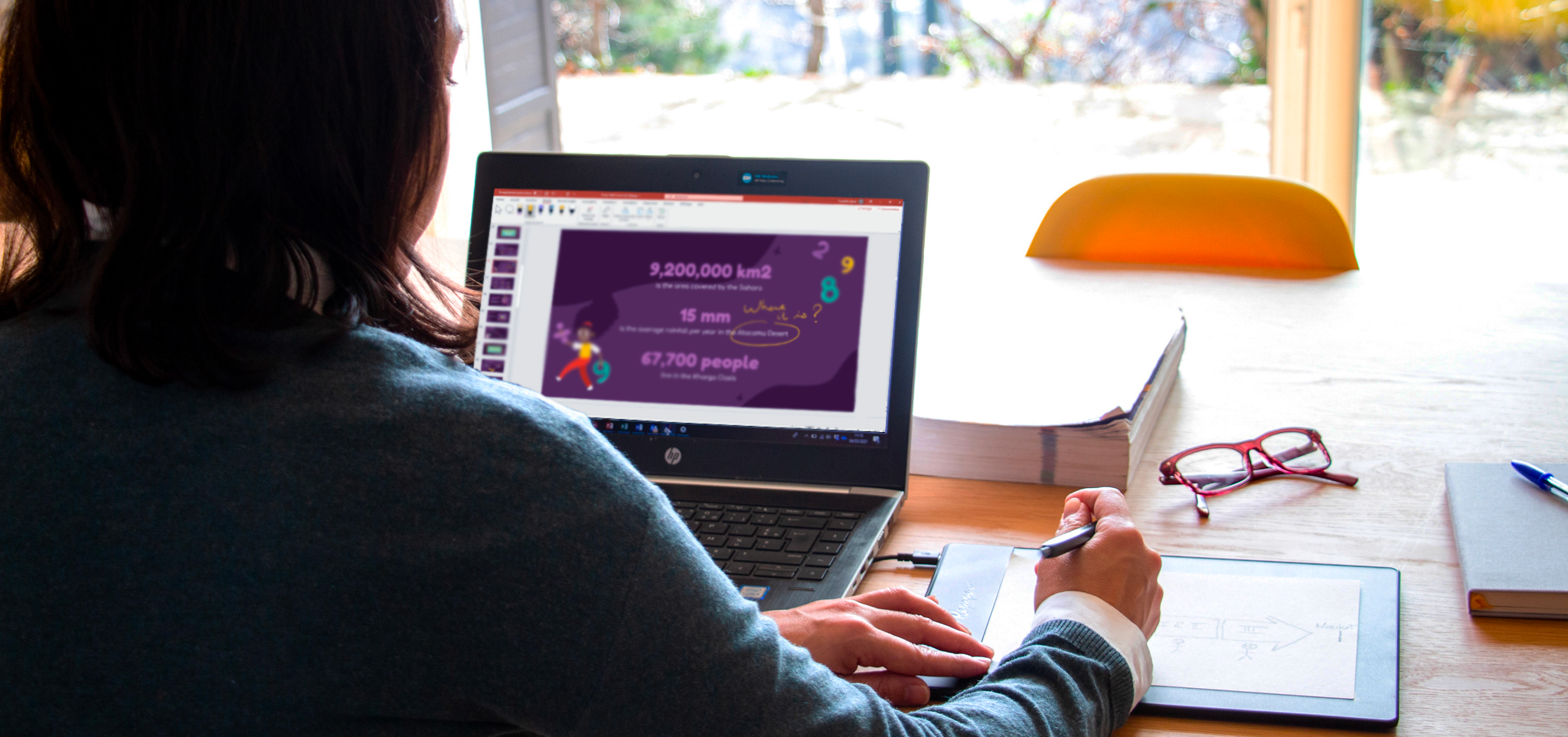
Make your slides vibrant

Annotate slides in real time. Repaper drawing pad allows you to write, sketch and draw on your favorite presentation softwares.

Your courses in video

With the MP4 export feature of the Repaper Studio application, create, share and archive your lesson videos.
Microsoft PowerPoint allows you to record your lectures with your slides, your voice, your face and handwritten notes taken with your Repaper. v

Mark your digital copies by hand

Add comments, underline and grade your students' papers using the annotation features of your regular software.
All software compatibilities




With your pencil...


...and your paper.


Your whiteboard application
Repaper Studio is a ready-to-use writing and drawing application with all the necessary features. It is also compatible with your favorite educational software.


All the functionalities


What teachers say


"It was necessary for me to be able to use a tool as easily as a pen on paper. So I decided to buy Repaper."
DR. BIRGIT MARRE
Polyclinic teacher for prosthetic dentistry at the Carl Gustav Carus University Hospital (Dresden University of Technology):

"The possibility to see my pencil on the screen in real time facilitates the understanding of my students. In addition, the video export allows a better memorization of the studied concepts."
VALERIE SABATIER
Senior professor at Grenoble Ecole de Management
Newsletter
Keep up to date with iskn news and events.
Email tracking details in our Privacy Policy.